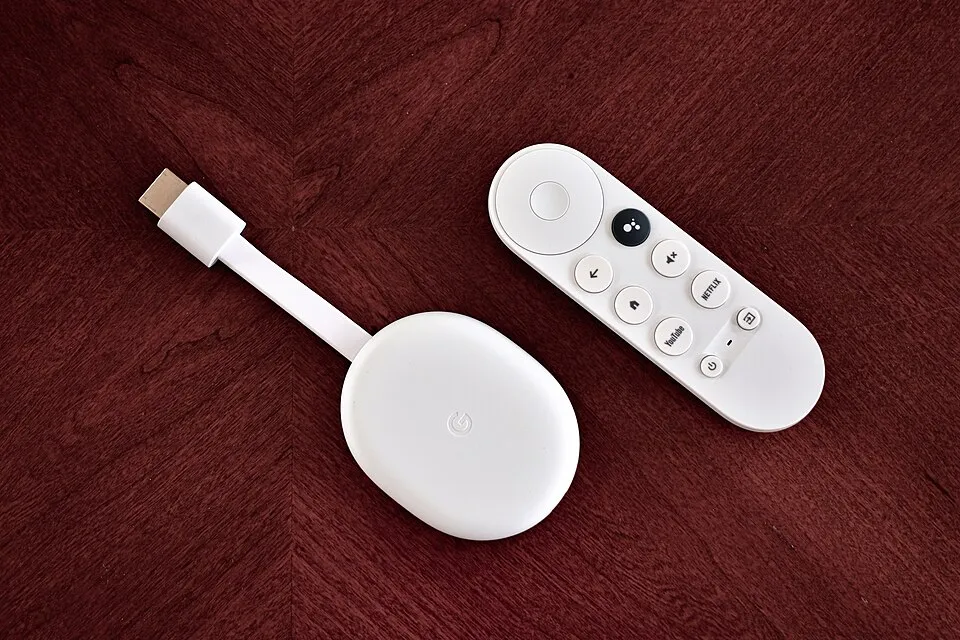
Chromecast with Google TV (4K) Review
Google has discontinued the Chromecast with Google TV. Our review for owners — plus what to buy instead now that the Google TV Streamer has replaced it.
The Chromecast with Google TV (4K) is no longer sold new. This review stays up for current owners — if you're buying today, read our Google TV Streamer (4K) review instead.
- Released
- 2020
- Launch price
- $49
- Chipset
- Amlogic S905X3
- CPU
- Quad-core Cortex-A55
- RAM
- 2 GB
- Storage
- 8 GB
- OS
- Google TV (Android TV 12)
- Max output
- 4K @ 60fps
- HDR
- Dolby Vision, HDR10+, HLG
- Audio
- Dolby Atmos
- Connectivity
- Wi-Fi 5, Bluetooth 4.2
- Ports
- HDMI 2.0, USB-C (power)
- Remote
- Google TV voice remote
- Dimensions
- 162 x 61 x 12.5 mm
- Weight
- 55 g
Update (September 2026): Google has discontinued the Chromecast with Google TV and replaced it with the Google TV Streamer. The review below stays up for owners; for a similar budget Google TV box, see the onn. 4K Pro.
Bottom line: The Chromecast with Google TV (4K, $49) is a capable budget streamer with Google TV’s excellent cross-service content aggregation and best-in-class casting. Ideal if you’re in Google’s ecosystem and don’t mind a required Google account and tight 8GB storage.
Overview
The Chromecast with Google TV replaced the old cast-only Chromecast with something far more useful: a proper streaming interface, a voice remote, and Google TV (Android TV’s successor) built in. At $49 for the 4K model, it competes directly with Roku and Fire TV.
Performance
Day-to-day performance is good. Apps load quickly, 4K HDR and Dolby Vision content streams without issue, and the Google TV interface — which aggregates content across services — is genuinely useful for discovery. Casting from Android or Chrome still works flawlessly as a bonus.
What We Liked
- Google TV interface — smart content recommendations across all your streaming services
- Google Assistant — one of the best voice assistants on any streaming device
- Casting support — cast from any Chrome browser or Android device instantly
- Compact design — hides cleanly behind your TV
- Dolby Vision + Atmos — full support at the $49 price point
What We Didn’t Like
- Requires a Google account — no way around it, even for basic setup
- Only 8GB storage — fills up fast with a handful of apps installed
- Ads in the interface — Google TV surfaces promoted content in the home feed
- No Ethernet port — Wi-Fi only, adapter not included
How It Compares
For $49 its natural rivals are the Roku Streaming Stick 4K and Walmart’s onn. 4K Pro. Roku is simpler and more neutral; the onn. box undercuts it with Ethernet and USB the Chromecast lacks. If you want the same Google TV experience but faster and with a wired port, step up to the Google TV Streamer. See our Android TV vs Fire TV vs Roku guide for the platform breakdown.
Verdict
The Chromecast with Google TV is the right pick if you’re already in the Google ecosystem — Android phone, YouTube Premium, Google One. The content aggregation is excellent and casting remains best-in-class. Just know you’re signing up for Google’s platform, not a neutral device.